
MariaDB
Auto-tuned MariaDB with Magento-specific InnoDB settings, dynamic scaling by VM size, and nightly off-site backups.
Each StoreFrame environment runs a dedicated MariaDB container. The database configuration is not fixed — most performance-critical settings are calculated from the VM's actual RAM and vCPU count at provision time. You can override any of these through the environment file (.env).
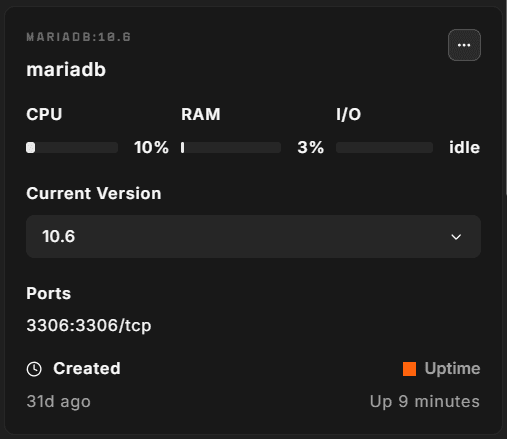
Version
MariaDB version is pinned per Magento release and tracks the versions Adobe Commerce certifies:
| Magento release | MariaDB version |
|---|---|
| 2.4.9 | 11.4 |
| 2.4.8 | 11.4 |
| 2.4.7 | 10.11 |
| 2.4.6 | 10.11 |
| 2.4.5 | 10.6 |
| 2.4.4 | 10.6 |
| Mage-OS 3.x | 11.4 |
The default for new environments uses the MariaDB version matching the selected Magento release. You can pin a specific version in .env:
CONTAINERS__MARIADB_VERSION='11.4'Auto-tuning
The three main dynamic settings are derived from ansible_memtotal_mb (total VM RAM) at provision time:
InnoDB buffer pool
innodb_buffer_pool_size = floor(RAM × 30%) GB (minimum 1 GB)On a shared-stack VM (PHP + MariaDB + OpenSearch all on the same host), 30% leaves enough headroom for PHP workers (35%), OpenSearch's JVM heap, Redis, and the OS page cache. If you are running MariaDB on a dedicated database host you can safely increase this to 70–80% of RAM.
innodb_buffer_pool_instances is set to the number of vCPUs. Each instance manages a separate segment of the buffer pool, reducing mutex contention under concurrent writes.
InnoDB log file size
innodb_log_file_size = clamp(RAM × 2%, 256 MB, 4 GB)A larger redo log lets InnoDB absorb write bursts without stalling. Magento's catalog import and indexing operations produce sustained write loads — the log file needs to be large enough to buffer a full indexing run without flushing too frequently.
Temporary table size
tmp_table_size = max_heap_table_size = clamp(RAM × 0.8%, 64 MB, 512 MB)Magento's EAV queries and layered navigation frequently sort large intermediate result sets. Keeping temp tables in memory avoids disk I/O for those joins.
Magento-specific settings
Beyond the dynamic sizing, several fixed settings address known Magento behaviour:
| Setting | Value | Reason |
|---|---|---|
max_connections | 1000 | Magento opens many concurrent short-lived connections |
innodb_flush_log_at_trx_commit | 2 | Flush log to OS once per second rather than per-commit; safe for replicated setups, acceptable for single-VM |
innodb_thread_concurrency | 0 | Let InnoDB manage its own concurrency (recommended for modern hardware) |
innodb_io_capacity | 3000 | Tuned for SSD-backed cloud storage |
innodb_io_capacity_max | 6000 | Burst ceiling for I/O-intensive operations |
innodb_stats_on_metadata | 0 | Prevents SHOW TABLE STATUS from triggering stats recalculation |
innodb_print_all_deadlocks | 1 | Log all deadlocks to the error log for debugging |
table_open_cache | 4000 | Magento's schema has hundreds of tables |
skip_name_resolve | 1 | Skip reverse DNS lookups on connections; speeds up connection establishment |
wait_timeout / interactive_timeout | 7200 s | Matches PHP's max_execution_time to prevent connection drops during long operations |
expire_logs_days | 1 | Binary logs expire after 1 day (binary logging is off by default on single-VM setups) |
join_buffer_size | 2 MB | Improves performance on large JOINs common in Magento's EAV queries |
Network access
MariaDB is not reachable from the internet. Containers reach it by name (mariadb) over the environment's private Docker network, and on the VM itself it listens on localhost only.
From the VM host, the mysql command connects to the database for you:
# From the VM host
mysql <database>
Replace <database> with your environment's database name, which is stored as MARIADB__MARIADB_NAME in .env.
For remote access from your local machine, use the Hub terminal or an SSH tunnel through the VM.
Overriding settings
You can override MariaDB settings with MARIADB__ keys in .env. For example, to set the buffer pool size yourself:
MARIADB__INNODB_BUFFER_POOL_SIZE='8G'If your modules use more memory per request, raise PHP__PHP_AVG_WORKER_MB so fewer PHP workers compete with MariaDB for RAM.
PHP__PHP_AVG_WORKER_MB='384'After editing .env, open the environment's Containers tab and choose ⋯ → Install on the MariaDB container (or the PHP container for PHP__ settings). Restarting a container does not apply changes. Don't put comments on the same line as a value; the platform reads them as part of the value.
Changing CONTAINERS__MARIADB_VERSION upgrades the database in place and can't be undone. Take a dump with backup-db first.
Backups
Daily SQL dumps are kept on the VM for 7 days, and older dumps stay available inside the off-site backups. See Backups.
The backup uses mysqldump with --single-transaction --quick --no-tablespaces to produce a consistent hot backup without locking tables.
Restore is via the restore-db wrapper script on the VM host. It needs an argument:
restore-db --list                           # show the dumps on disk
restore-db --latest                         # restore the newest dump
restore-db backup_08-01-2026_2211.sql.gz    # restore a specific dump
For the full backup and restore flow, see Backups.
Checking database status
From the VM host:
# Interactive shell
mariadb

# Check InnoDB buffer pool hit rate
mysql -e "SHOW GLOBAL STATUS LIKE 'Innodb_buffer_pool_read%';"

# View current connections
mysql -e "SHOW PROCESSLIST;"

# Check slow query log (if enabled)
docker logs mariadb 2>&1 | grep "Query_time" | tail -20
Full-text search
MariaDB's built-in InnoDB full-text search is not used by Magento on StoreFrame — search is handled by OpenSearch. The innodb_ft_cache_size setting is tuned to suppress related log warnings that appear even when FTS is not actively used.