
How billing works
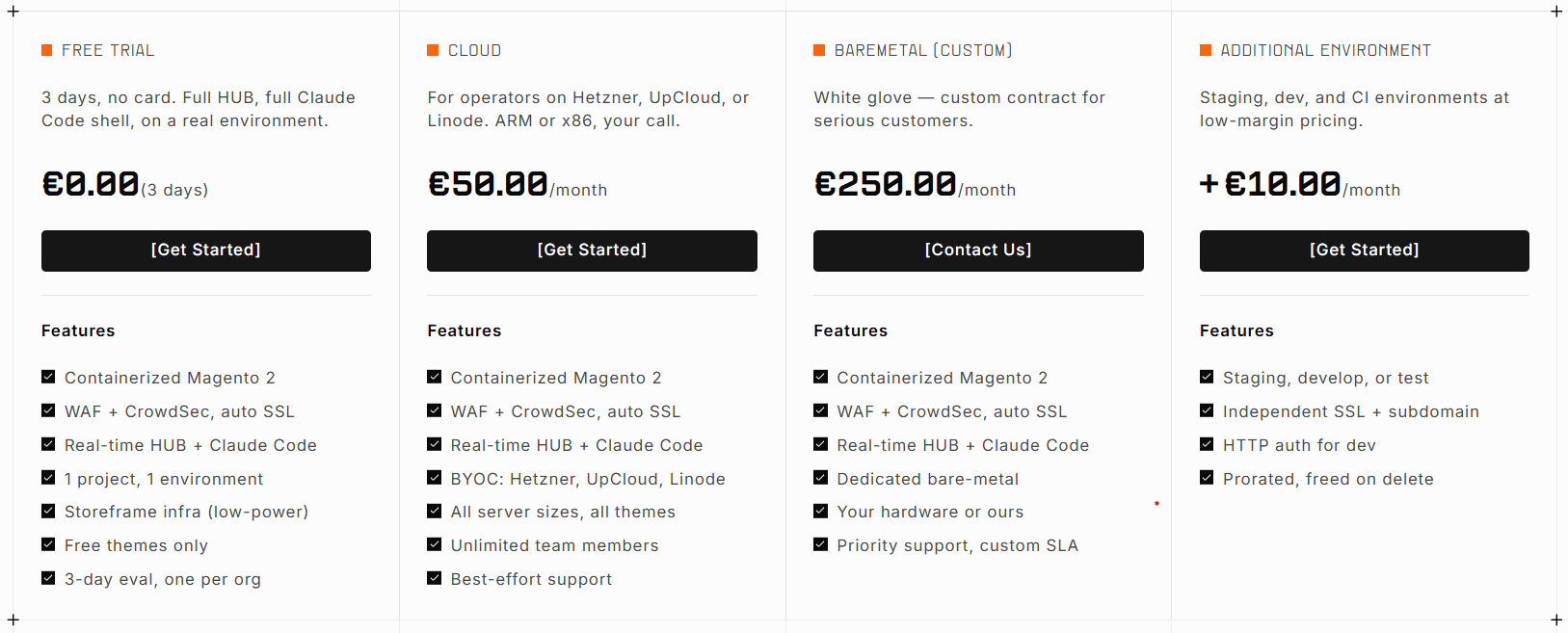
StoreFrame uses simple, usage-based pricing — €50 per Project per month plus €10 per Stage.
StoreFrame uses simple, usage-based pricing — €50 per Project per month plus €10 per additional environment (Stage). You pay for slots; cloud infrastructure you pay your provider directly (BYOK — Bring Your Own Keys).
How it works
Every environment you run on StoreFrame is backed by a slot — a seat on your organization's Stripe subscription. There are two slot types:
| Slot | Price | Covers |
|---|---|---|
| Project slot | €50/month | One production environment (your Project) |
| Stage slot | €10/month | One staging, develop, or test environment |
The management fee covers orchestration, monitoring, SSL certificates, SSH access, and container lifecycle. It does not include the cost of the cloud servers themselves — those are billed directly by your cloud provider (Hetzner, DigitalOcean, Linode or UpCloud) to your own account.
No payment needed to start
You can create and deploy a Project without entering a payment method. Every new organization gets one free 3-day trial on StoreFrame-managed infrastructure. If you choose to subscribe after the trial, you are charged immediately for the rest of the calendar month, and then on the 1st of each month going forward.
Failed deployments generate no charges.
What's in this chapter
- Slot model — how slots work as the billing primitive, with pricing examples
- Project slots — €50/month, includes your first production environment
- Stage slots — €10/month each for staging, develop, and test environments
- Trials — how the 3-day trial works, what happens at expiry, and how to convert to a paid Project
- Invoices — calendar-month billing, payment methods, failed payments, and past-due recovery
Quick pricing examples
| Setup | Monthly cost |
|---|---|
| 1 Project, production only | €50 |
| 1 Project + 1 staging Stage | €60 |
| 1 Project + staging + develop Stages | €70 |
| 2 Projects, production only each | €100 |
| 2 Projects, each with staging | €120 |
Cloud server costs (CPU, disk, bandwidth) are separate and paid directly to your provider.
Billing page in Hub
All financial controls for your organization live at Settings → Organization → Billing. That page lets you view slot usage, manage your payment method via Stripe, and download past invoices.
See /docs/hub/settings/organization/billing for a walkthrough of the UI.