
Connect Claude Code
Two ways to open Claude Code in your new Magento environment — the Console tab in the Hub, or Codeserver.
Once your environment status flips to Active, Claude Code is pre-installed inside the VM and ready to use. There are two ways to reach it:
- The Claude button in the Hub — navigates to the Console tab and auto-spawns a fresh Claude session. Works on desktop and mobile.
- Codeserver — VS Code running inside the VM, accessible via a browser tab. Best for sustained coding sessions. Desktop-only.
Both reach the same Claude Code instance inside the same VM — pick whichever fits what you're doing.
Option 1: The Claude button
Open your environment in the Hub. In the environment header, click the Claude button. It navigates to the Console tab and automatically opens a fresh Claude Code session using a ?new=claude handshake — no extra steps required.

The Console tab opens a tmux-backed terminal in your browser with a fresh Claude session already running. The tabs strip at the top shows one tab per session — and the + New button to the right of the strip spawns more. Right next to + New is a mode chip: pick Claude (default) to get Claude Code pre-loaded, or Bash for a plain shell with no Claude. Each environment is capped at 10 concurrent sessions.
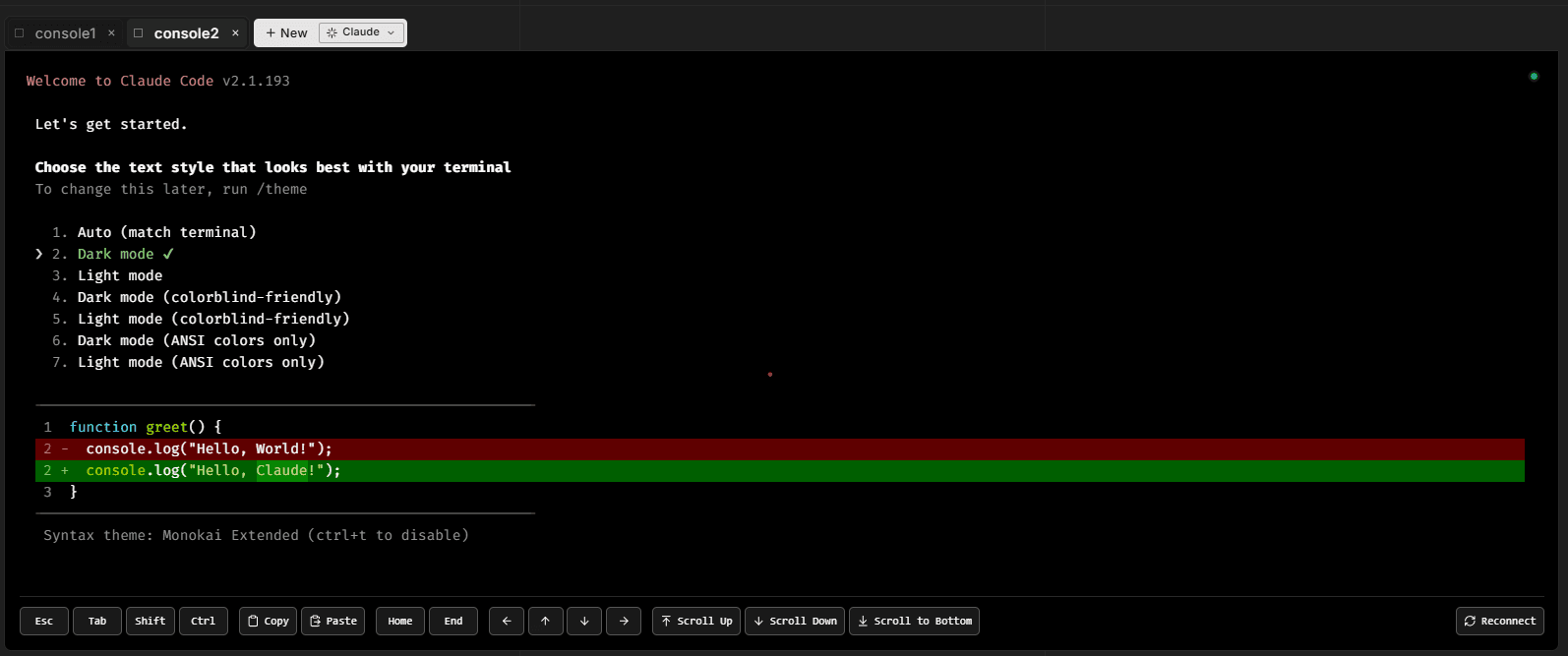
New Claude sessions on StoreFrame come with three defaults baked in:
- Approval gates skipped Claude runs with
--dangerously-skip-permissions, so it executes actions without asking for per-step approval. Faster, more autonomous. If you want stricter control, spawn a Bash tab instead and runclaudeyourself without the flag. - /remote-control active the session is automatically shareable from another device. Open the same environment on your phone or tablet and the running session shows up immediately.
- Renameable tabs click a tab to relabel it. The new label is what shows on
/remote-control, so naming tabs after what you're working on (checkout-bug,tax-review) makes cross-device handoff easier.
Pin a tab to keep it across page reloads. Closing a tab only removes it from your tab strip; the session keeps running. To end a session for good, terminate it with the X on the tab, which asks for confirmation first. See Terminal sessions.
From here you can:
- Run shell commands directly on the VM as the
appuser, with sudo when you need it - Send natural-language requests to Claude — "explain this slow query plan", "draft a migration to add an index on orders.created_at", "find the file that handles checkout shipping rates"
- Open multiple tabs — each is an independent tmux session that survives reconnects and browser refreshes
- Share a session across devices via /remote-control
The Claude button is available on all screen sizes — desktop, tablet, and phone.
Option 2: Codeserver
Codeserver is a browser-hosted VS Code that runs inside your environment. Once the environment is provisioned and ready, the Codeserver button appears in the environment header. Click it to open VS Code in a new browser tab.

The full VS Code UI — file tree, integrated terminal, extensions — runs against your VM's filesystem. Claude Code is available inside the integrated terminal exactly as it is in the Console tab.
Codeserver is desktop-only. The button is hidden on mobile — use the Claude button there instead.
What Claude Code can do here
Claude Code in your StoreFrame environment runs on the VM as the app user, with sudo available, and is pre-loaded with context about Magento (cache modes, indexer strategies, queue semantics) and your specific stack (FrankenPHP, MariaDB, OpenSearch, Redis, RabbitMQ). It can edit files directly, run database queries, use the platform's CLI tooling, and propose pull requests against your repo.
See /docs/get-started/claude-code for the full guide on what it can do, approval gates, and patterns for common tasks.
You're done
You now have:
- A running Magento environment
- Claude Code reachable from your browser
If you're on the trial path: the trial runs for 3 days, then the environment is auto-destroyed unless you convert. See /docs/billing/trials for conversion mechanics.
The rest of the docs are organized by depth:
- /docs/hub — day-to-day usage of the Hub
- /docs/get-started/claude-code — Claude Code patterns and tips
- /docs/infrastructure — fine-tune the platform
Welcome to StoreFrame.