Account settings
Personal settings that affect only you — profile, security, and email preferences.
Account settings are private to your user account. None of the changes here affect your organization or your colleagues.
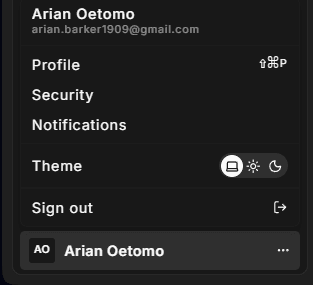
To open account settings, click your user avatar at the bottom of the left sidebar, then select Account.
Sections
Profile
Update your personal details and Hub display preferences.
- Personal details your display name, phone number, and email address. Email changes go through a verification flow.
- Preferences interface language (English US / EN / DE) and color theme (light, dark, or system).
- Danger zone permanently delete your account.
See Profile for full details.
Security
Manage how your account is protected.
- Sessions view all active login sessions and sign out individual devices.
- Multi-factor authentication enable or disable a TOTP authenticator app.
- Password set or change your login password.
- Connected accounts link or unlink Google and Microsoft accounts for single sign-on.
See Security for full details.
Notifications
Control which emails Hub sends to your address.
- Transactional emails activity notifications such as inbox assignments and a weekly summary. Security emails are always on and cannot be disabled.
- Marketing emails newsletter and product update announcements. Both are opt-in.
See Notifications for full details.