
Profile
Update your display name, phone, email address, language, theme, and account deletion.
The Profile page is divided into three cards: Personal details, Preferences, and Danger zone. All changes here are personal — they do not affect other members of your organization.
Navigate there via user avatar → Account → Profile.
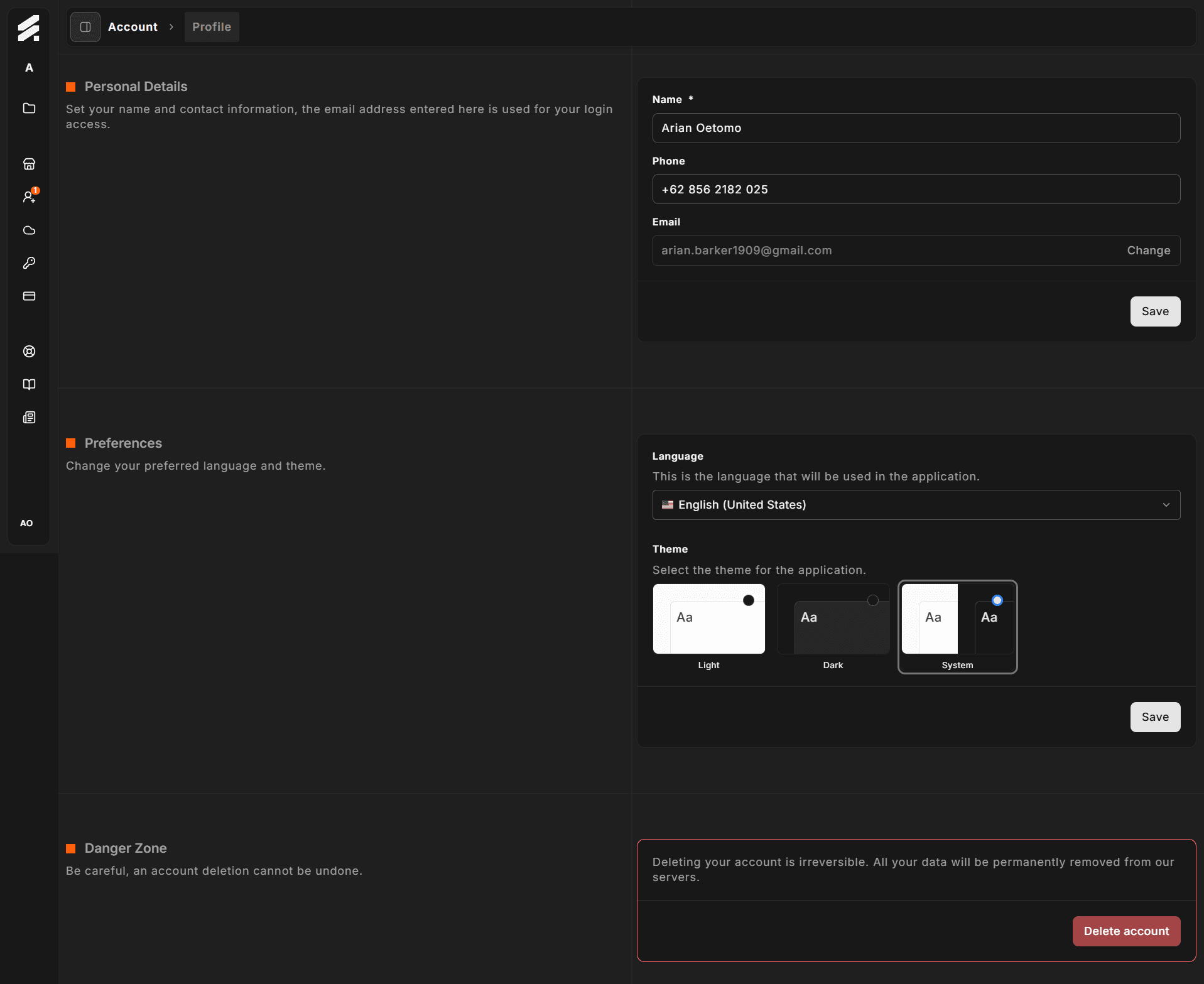
Personal details
This card lets you update the basic information tied to your user account.
| Field | Notes |
|---|---|
| Name | Required. Displayed throughout Hub and in any emails sent on your behalf. Maximum 32 characters. |
| Phone | Optional. Used for support contact purposes. |
| Read-only in this field. Use the Change button to start an email change flow. |
Changing your email
Your email address is the identity anchor for your account, so Hub uses a verified change flow. Click Change next to the email field and follow the instructions sent to your new address. Until verification completes, your current email remains active.
Click Save at the bottom of the card to apply name or phone changes.
Preferences
Choose how Hub looks and which locale it uses for formatting.
Language
Select the interface language from the dropdown. Three options are available:
- English (United States)
- English (United Kingdom)
- German (Germany)
The chosen locale affects date and number formatting throughout Hub.
Theme
Pick from three display modes using the visual card selector:
- Light white background, dark text.
- Dark dark background, light text.
- System follows your operating system's appearance setting and switches automatically.
The theme change takes effect immediately when you save. Your preference is stored server-side so it follows you across devices.
Click Save to persist both language and theme changes.
Danger zone
The Danger zone card is outlined in red as a visual reminder that its action is irreversible.
Clicking Delete account opens a confirmation dialog. If you own one or more organizations, the dialog lists them — you must transfer or delete those organizations before your account can be removed.
This action is permanent. All your personal data is removed from StoreFrame servers. There is no recovery path once the deletion completes.
If you only want to leave an organization without deleting your account, use Members settings instead.
Related pages
- Security — sessions, MFA, password, and connected accounts
- Notifications — email preferences