
Container logs
Docker container stdout from every service in your stack, pushed by the helio agent over WebSocket and shown in the Container tab.
The Container tab streams the stdout output of every Docker container in your environment — what each service in the containerized stack prints to the console at runtime.
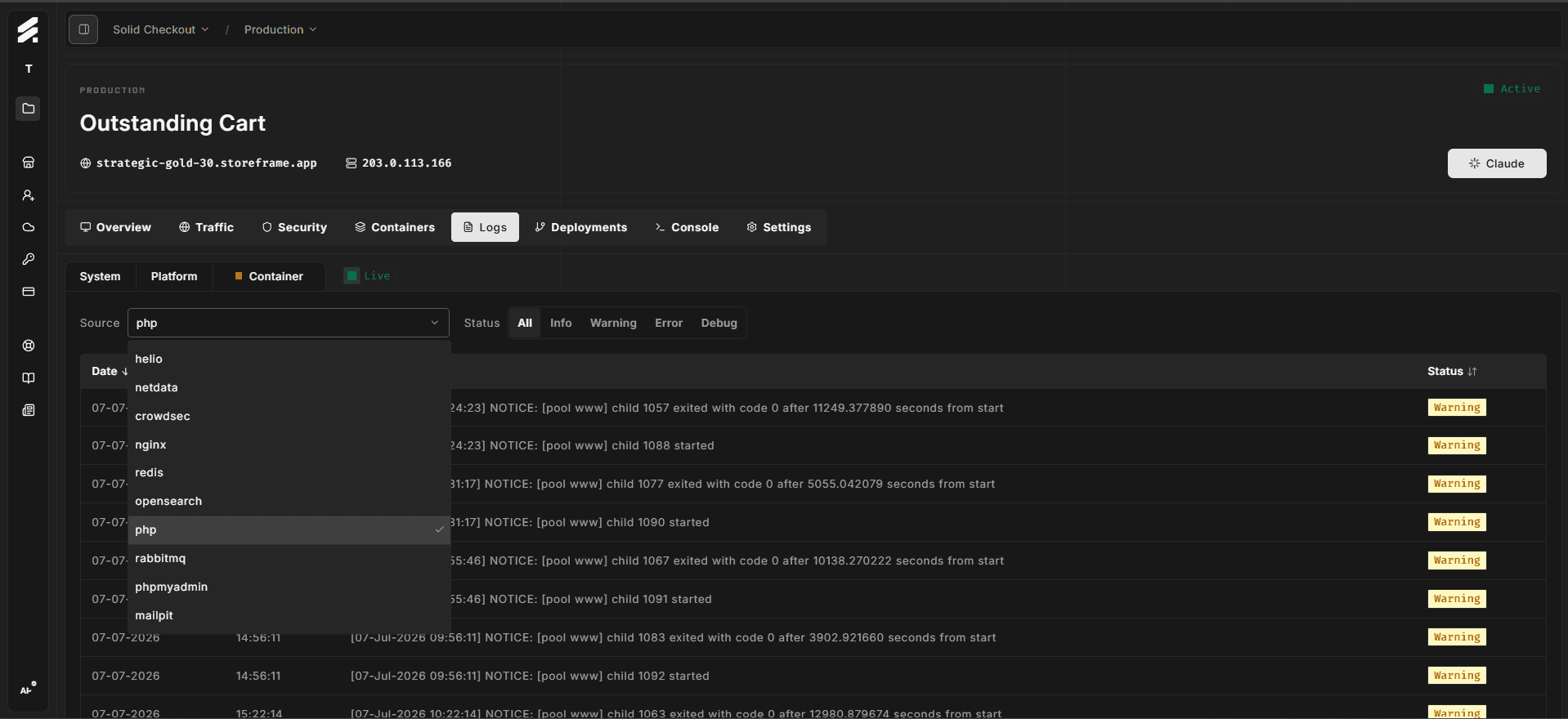
How it streams
The platform agent on your VM follows the output of every container and streams each new line to the Hub in real time.
One platform agent per environment manages all containers — opening the Container tab on multiple devices does not open additional Docker connections.
When you open the tab, the Hub replays the last 20 entries per container from the in-memory buffer so you see recent context without waiting for new output.
Filtering
Source — the dropdown above the table lists every container helio has seen on this environment (e.g. nginx, php, mariadb). Select one to view only that container's output.
Status — the capsule filter bar narrows entries to Info, Warning, Error, or Debug. The level is inferred from each line's content (logfmt level=, JSON "level":, bracket [INFO], or inferred from stderr vs stdout stream).
What each container's stdout shows
| Container | Typical output |
|---|---|
| nginx (OpenResty) | HTTP request lines, upstream errors, Lua script output, security pipeline events |
| php (FrankenPHP) | PHP process startup, worker mode events, PHP fatal errors, Xdebug messages |
| mariadb | Connection events, slow query lines, InnoDB startup and recovery messages |
| redis | Cache persistence events, connection accept/close, eviction notices |
| opensearch | Index operations, shard allocation events, query timeout errors |
| varnish | Cache hit/miss lines, purge operations, backend health check results |
| rabbitmq | Queue declarations, consumer connect/disconnect, publish confirmations |
| crowdsec | Decisions, parser warnings, bouncer registration |
| helio | StoreFrame metrics agent status, collector sync events, reconnect attempts |
The exact container list depends on which services are enabled in your environment's stack configuration.
When to use this vs platform logs
Container logs are the runtime's view of your environment — what nginx, FrankenPHP, and MariaDB report about their own operation. Platform logs are Magento's view of itself — errors, warnings, and debug output that Magento's application layer wrote. Use container logs when you need to diagnose infrastructure-level events (container restarts, upstream connectivity, database engine errors). Use platform logs when you need Magento's own error reporting (PHP exceptions, failed model saves, payment gateway responses).