
Platform logs
Magento application logs from var/log, pushed by the helio agent over WebSocket and shown in the Platform tab.
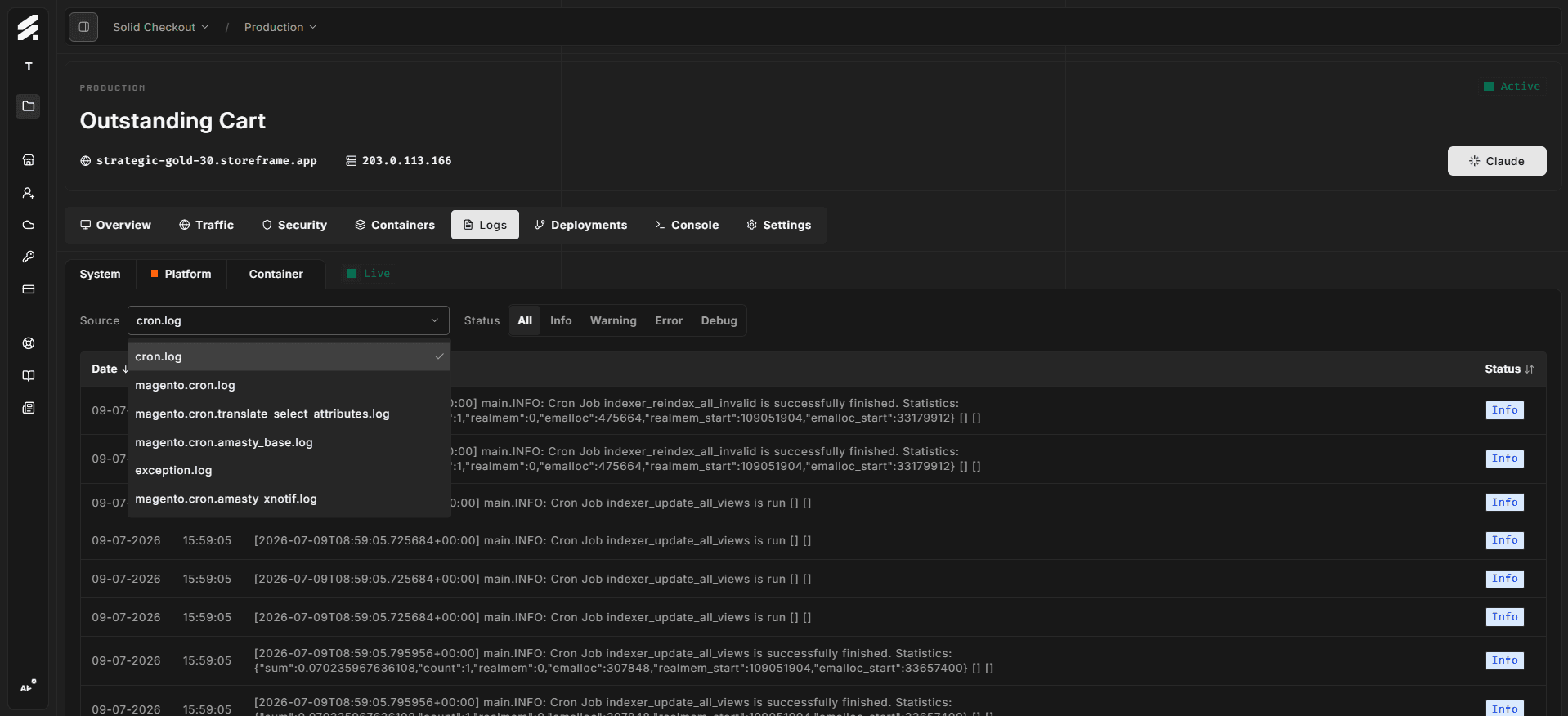
The Platform tab shows Magento's own application log files — everything your store writes to /var/www/<instance>/application/var/log/. Typical files include exception.log, system.log, debug.log, cron.log, and any log files added by custom modules.
How it streams
The platform agent on your VM follows the files in /var/www/<instance>/application/var/log/ and streams each new line to the Hub in real time.
One platform agent per environment manages this — opening the Logs tab on multiple devices does not open extra connections or SSH sessions.
When you open the tab, the Hub immediately replays the last 20 entries per log file from the in-memory buffer so you see recent context without waiting for new writes.
Filtering
Source — the dropdown above the table lists every log file that helio has seen on this environment. Select one to view only that file's entries. The dropdown label shows just the filename (e.g. exception.log), not the full path.
Status — the capsule filter bar narrows entries to Info, Warning, Error, or Debug. The level is parsed from each log line's content (logfmt level=, JSON "level":, bracket [INFO], or inferred from stderr).
Common log files
| File | Content |
|---|---|
exception.log | PHP exceptions and Magento-thrown errors with stack traces |
system.log | Info-level operations — model saves, indexer runs, configuration changes |
debug.log | Verbose debug output (only populated when Magento debug mode is on) |
cron.log | Output from Magento's scheduled jobs |
payment.log | Payment gateway request and response events |
report.log | Customer-facing error page reports |
Custom modules may add their own files. They appear in the Source dropdown automatically once helio detects them.
System vs Platform tabs
Both the System and Platform tabs draw from the same helio platform log channel. The Hub splits them by path prefix:
- System tab files under
/var/log/(OS-level: syslog, auth, kern, etc.) - Platform tab everything else (Magento application logs under
/var/www/)
If you want OS-level kernel or authentication events, switch to the System tab.
When to use this vs container logs
Platform logs are Magento's self-reported view — errors, warnings, and debug output that Magento itself wrote. Container logs are the runtime's view — what the PHP container (FrankenPHP), nginx, or MariaDB printed to stdout. For deep diagnostics you often need both: platform logs show what Magento observed, container logs show what the surrounding infrastructure observed.