
Organization settings
Configure your organization's identity, team, billing, providers, and SSH keys from one place.
Organization settings control everything shared across your entire team and all your environments. Changes here affect every member and every project under the organization.
Navigate there via your organization avatar → Settings → Organization in the left sidebar.
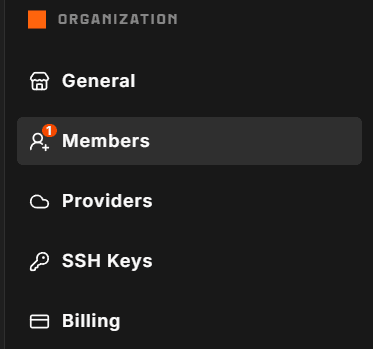
What's in this section
| Page | What you do there |
|---|---|
| General | Upload a logo, update the slug, edit contact details, and terminate the organization |
| Members | View your team, invite new people, change roles, and manage pending invitations |
| SSH Keys | Register org-wide SSH public keys that are applied to provisioned environments |
| Providers | Store cloud provider API tokens (BYOK) used to provision servers on your infrastructure |
| Billing | Manage your payment method, billing address, slot plan, invoices, and billing email |
Roles and access
Not every member can see or change every setting. Two roles exist across an organization:
- Member can access environments, containers, and logs. Cannot change org settings.
- Admin can manage members, providers, SSH keys, and most settings.
The Owner is an admin who additionally controls billing and can terminate the organization. There is exactly one owner per organization at any time.
If a setting or button is not visible to you, you likely need Admin access. Contact your org owner to request a role change.
BYOK model
StoreFrame is a Bring Your Own Keys (BYOK) platform. You provide the cloud provider API tokens; StoreFrame provisions and manages the servers. This means your infrastructure costs go directly to Hetzner (or another supported provider), and StoreFrame charges only for management slots.
Set up your provider tokens under Providers before creating your first paid environment.
Related sections
- Account settings — personal profile, theme, password, and sessions (per-user, not per-org)
- Environment settings — settings scoped to a single environment