
General settings
Update your organization logo, slug, contact details, and permanently terminate the organization.
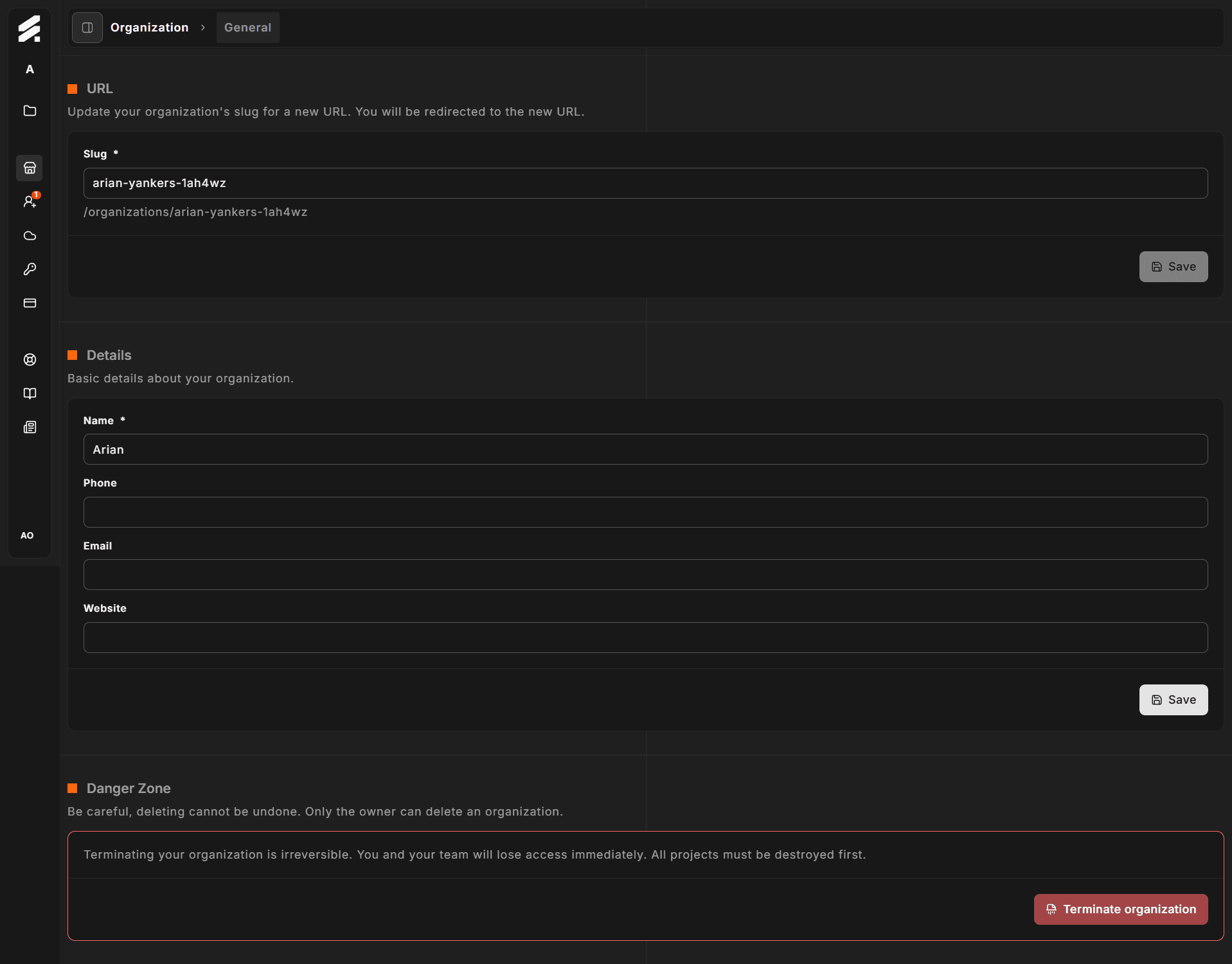
The General page groups four cards that control your organization's identity and lifecycle. Changes here are organization-wide and visible to all members.
Navigate there via Settings → Organization → General.
Logo
The Logo card lets you set the image shown in the Hub sidebar and organization switcher next to your org name.
Click the dropzone (or drag a file onto it) to upload an image. A crop tool opens so you can frame the image before saving. Accepted formats are PNG and JPEG, up to 5 MB. The image is stored as a square (1:1 aspect ratio).
To remove the current logo, click the red trash icon that appears over the image in the bottom-right corner. The logo reverts to the initials avatar immediately.
Slug
The slug is the URL-safe identifier that appears in all Hub paths for your organization:
https://hub.storeframe.io/organizations/<slug>/To change the slug, type a new value in the input and click Save. Hub first checks that the slug is available. If it is, the update is applied and Hub redirects you to the new URL with a success confirmation. If the slug is already taken, an inline error appears and the change is not applied.
Changing your slug invalidates any bookmarks or shared links that used the old path. All internal references update automatically.
Organization details
The details card captures contact information for the organization.
| Field | Required | Notes |
|---|---|---|
| Name | Yes | Shown in the sidebar, switcher, and emails sent to your team. Maximum 255 characters. |
| Phone | No | Optional contact number. Maximum 32 characters. |
| No | Organization contact address. Maximum 255 characters. | |
| Website | No | URL format. Maximum 2000 characters. |
Click Save to apply all changes in this card at once.
Danger zone
The Danger zone card has a red border to signal that its action is permanent and cannot be undone.
Clicking Terminate organization opens a confirmation dialog. The button is only available to the organization owner — admins and members see it disabled.
Before you can terminate, all projects must be destroyed. If any active environments exist the termination will be blocked and the dialog will indicate what needs to be removed first.
Termination is irreversible. Your team immediately loses access, all data is removed from StoreFrame, and billing stops at the end of the current period. Your BYOK cloud infrastructure is not affected — StoreFrame only manages the servers, it does not own them.