
Linode (Akamai) — add API token
Generate a Linode Personal Access Token to enable Bring Your Own Keys provisioning.
Linode (Akamai Cloud Manager) uses Personal Access Tokens for API access. You generate one in the Linode Cloud Manager, then paste it into StoreFrame's provider settings. Once registered, you can subscribe to a paid Project that provisions on your Linode account.
1. Open Akamai Cloud Manager
Sign in at https://cloud.linode.com/.
[Screenshot placeholder: Linode Cloud Manager dashboard with account menu visible]
Personal Access Tokens are tied to your Linode account. Environments that StoreFrame creates appear under that account. If you operate separate Linode accounts for production and staging, add one token per account in StoreFrame.
2. Generate the Personal Access Token
Go to Profile → Personal Access Tokens and click Create A Personal Access Token.
Two settings matter:
- Label: Use something descriptive — for example,
storeframe-prod. This label appears in your token list and makes it easy to identify what the token is used for. - Scopes: Grant write access to Linodes and related resources StoreFrame needs to provision servers. At minimum, enable Linodes with read/write access. Read-only scopes will fail validation when StoreFrame tries to create a server.
[Screenshot placeholder: Linode Personal Access Token creation — label filled in and Linodes read/write scope selected]
Click Create Token. Linode shows the token only once — copy it to your clipboard immediately before closing the dialog.
3. Paste into StoreFrame
In the Hub, go to Settings → Organization → Providers and click Add provider.
Fill in the form:
- Cloud Provider: Select Linode (Akamai)
- Name: A label for your reference — for example,
Linode — prod account. This appears only in StoreFrame and helps you tell tokens apart if you add more than one. - API Token: Paste the token you copied in Step 2.
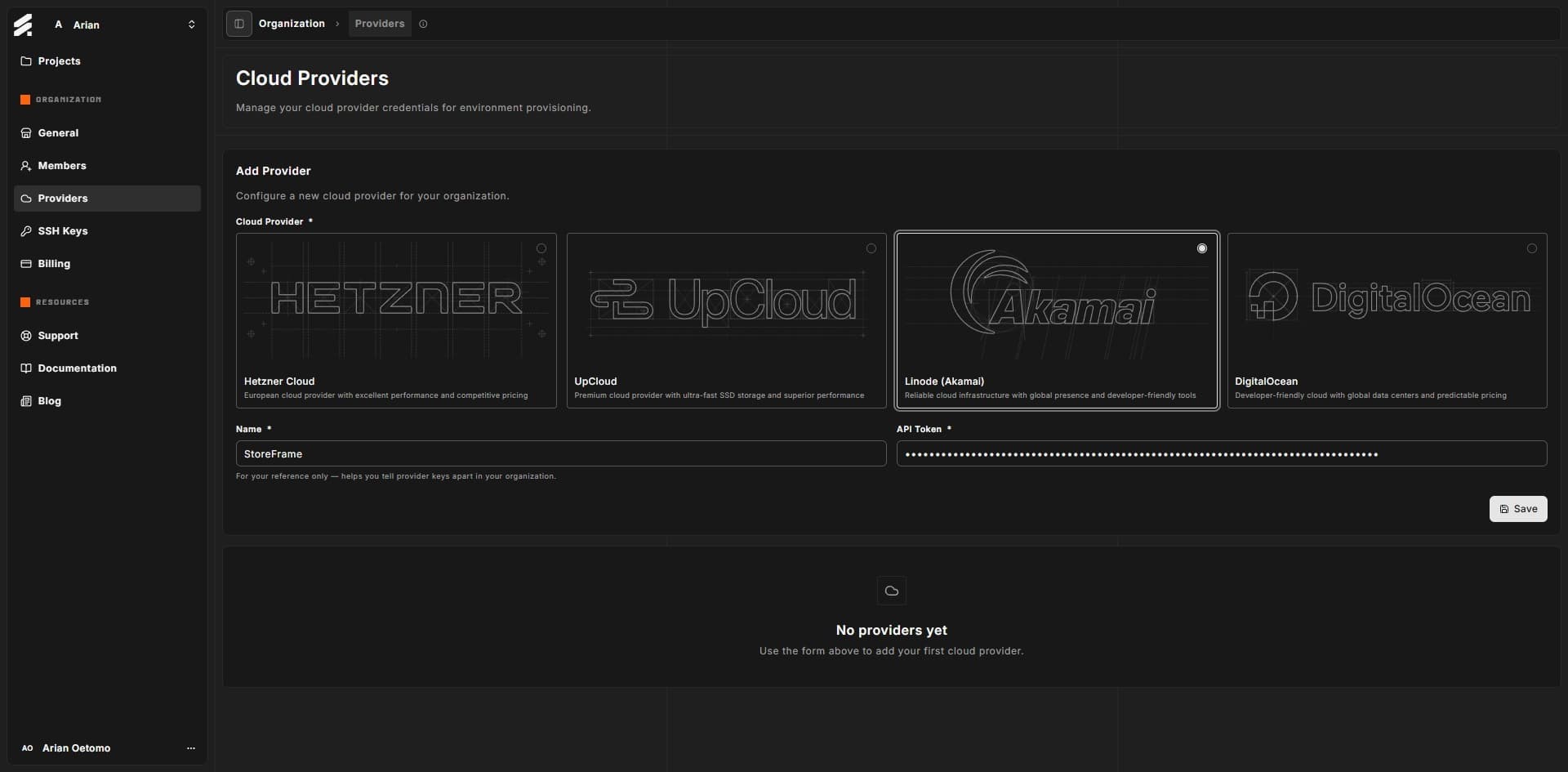
Click Save. StoreFrame validates the token against Linode's API. If validation fails, the most common causes are an expired token, a typo when pasting, or scopes that are too restrictive — generate a new token with Linode read/write access and try again.
Next
With a Linode token registered, you can subscribe to a paid Project from any trial environment. See billing trials for the conversion mechanics.
You can rotate or remove this token later from organization providers settings.