Magento 2 Performance Optimization Guide: My Take for (Mid 2026)


Everyone tunes Magento 2 the same way and hits the same ceiling. The speed wins that actually move the needle in 2026 are the ones nobody puts in the guides.
I ended the last post with a promise — how a plain server, root access and port 22 and nothing else, turns into a Magento store that outruns premium hosting. Before I get there, let me skip the part you’ve already read a hundred times.
Every year someone publishes the same Magento performance guide. Update Magento. Update PHP. Turn on caching. Bump the memory limits for PHP and MariaDB. Use nginx, not Apache.
And you know what — it’s all correct. It’s boring, it’s been rewritten a thousand times over, and it works. Do every bit of it. I’m not going to spend this post pretending any of that is a revelation.
What I want to tell you is the part that doesn’t get written down — the stuff I only learned from five years of tuning real, live stores. Some of it is counterintuitive and some I might be wrong, it depends from which angle you see it. One day catalog flat enabled, other month better disabled...
One piece of it I’ve genuinely never seen in a performance guide anywhere. And together it’s what actually separates a fast Magento store from a slow one once you’ve done the obvious things. Hyva or no Hyva, this is still the foundation.
Clock speed beats core count (because PHP is single-threaded)
Start with the most counterintuitive one, because it’s the one people get wrong the moment they spec a server. PHP is single-threaded. One request runs in one PHP-FPM worker, on one core, start to finish — parse the request, query the database, run the template logic, return the HTML. Nothing about that single request gets faster by adding more cores.
So when Hetzner came up with an 80-core ARM Ampere Altra (RX line bare metal in Hetzner while it was still available, cost a whopping € 200,- pm with € 100 setup fee) I was excited. Lets go.
Bummer... Magento actually feels alot slower, even compared to just the standard CX family. It didn't matter what I did, just slow. Back then there were not alot of guides, no AI, so I gave up after 1month going back and forth. Apparently, the answer is sitting on the spec sheet: that chip tops out around 3.0 GHz, while today a desktop-class Intel i9-13900 boosts to 5.6 GHz.
Run something like php bin/magento setup:upgrade, htop shows 78 cores idle with 2 really red ones. For Magento, the x86 family still wins, and it isn’t close.
PHP renders each page on a single core, so peak clock — not core count — decides single-page speed. Values are each chip’s top boost clock.
Put plainly: cores buy you concurrency, clock buys you page speed. Most merchants need page speed far more than they need to render a thousand pages simultaneously. And yes — Redis, the thing holding your cache, is single-threaded too. Few years back, I replace it with KeyDB multithreaded Redis fork, but I didn't feel any impact I deem worth it.
So when you pick a box, take the single highest clock speed you can get over the impressive core count, a liquid helium cooling overclocked at 9.2 GHz is your best bet from these guys!

And quick pages pay off again in a way that’s easy to miss. When an uncached page is processed fast, the PHP-FPM worker handling it is free again almost at once — ready for the next shopper. When it’s slow, that worker stays tied up, the request behind it waits, and the one behind that waits too.
One slow response becomes a queue, and a queue becomes a cascading traffic jam. So speed on the uncached pages isn’t just nicer for one visitor — it keeps the whole shop flowing, with nobody idling behind the request in front of them.
You can also check my previous post How I Made a Luma Theme Faster Than Hyva on Hypernode — Without Spending Days
RAM: not how much, but how fast — and keeping everything in it
Magento is a memory engine wearing an e-Commerce costume. Look at where the work actually happens: three Redis instances, Varnish holding full pages, OPcache holding compiled PHP, MariaDB’s InnoDB buffer pool holding your hot rows, OpenSearch with tmpfs. All of it lives in RAM. The disk is where things go to be slow.
So two things matter. First, and most important: have enough RAM that your entire working set fits in memory — caches, buffer pool, sessions — with headroom to spare. The moment Magento has to reach the disk for something it expected to find in RAM, you feel it.
Second: faster memory genuinely helps. DDR5 carries roughly twice the bandwidth of DDR4, and when your whole stack is shuttling cache in and out of memory all day long, that bandwidth is doing real work. It’s not a headline number. It’s not nothing, either.
NVMe — not for the deploys, for the cache misses
Here’s the part people get backwards. A fast disk isn’t really for the build — di:compile, static deploy, the cache warm. Those benefit, but that’s not the reason. The reason is the cache miss. When a page is cached it’s served from memory and the disk never enters the picture — it’s already instant.
The risk is the cliff on the other side: the moment a request can’t come from cache — an uncached page, a search, a database read that falls through the buffer pool, and above all the writes, every add-to-cart and every order — you’re on the disk, and the shopper feels the drop.
A fast disk is what keeps that drop a small step instead of a faceplant: quick when cached, still quick when it isn’t.
And the speeds are the whole argument. A SATA SSD tops out around 550 MB/s. A Gen4 NVMe does about 7,000 — better than ten times faster — and a Gen5 drive pushes past 14,000. RAM is faster still, a memory channel running into the tens of gigabytes per second.
But notice the gap: a SATA disk is something like a hundred times slower than system memory, while a fast NVMe is within single-digit multiples of a memory channel — close enough that the fall from cached to uncached stops being a cliff and becomes a step.
If you’ve paid for a high-clock CPU and fast RAM, don’t strand them behind a disk that turns every cache miss into a stall.
Sequential read, MB/s. A Gen5 NVMe pushes past 14,000 and a DDR5 memory channel runs ~40,000+, so a fast NVMe sits within single-digit multiples of RAM while SATA is ~100× behind it.
None of that hardware matters without caching
Here’s the part that humbles the spec sheet: everything above — the clock, the RAM, the NVMe — buys you almost nothing if your caching isn’t right. A fast server rendering every page from scratch is just an expensive way to be slow.
Varnish and Redis aren’t optional extras you bolt on when you have a spare afternoon. They’re the foundation. Varnish serves your full pages straight from memory so PHP never runs on a cache hit; Redis holds the rest.
And yet I keep finding smaller Magento shops that have turned one or both off — because something broke once, or a tutorial made it look scary, or a developer left and nobody switched it back on.
Truth to be told: It happens too me many times many years ago, especially by being cheap. Using 300 usd themes from Themeforest (please don't be mad at me, this is a fact). Hyva is free today, Breeze is free today, StoreFrame base theme too and alot others. Don't shoot your self in the foot from day one.
That’s not saving you complexity. It’s throwing away the single biggest lever you have. Turn them on. Keep them on.
The enemy nobody talks about: scanner bots on your uncached pages
This is the one I’ve never seen written about properly, and it’s the one that surprised me most. Your Magento store is crawled constantly — and not by Google. By a swarm of fake-bot scanners, vulnerability probes, and junk traffic dressed up as real browsers.
Here’s why it matters for speed: they don’t hit your cached homepage. They hammer the pages caching can’t save you on — search queries, layered-navigation permutations, store switcher, add-to-cart and checkout paths, anything that spawns a session or forces a cache MISS.
Every one of those requests sails past Varnish, wakes a PHP-FPM worker, hits the database, and ties up a process a real customer needed.
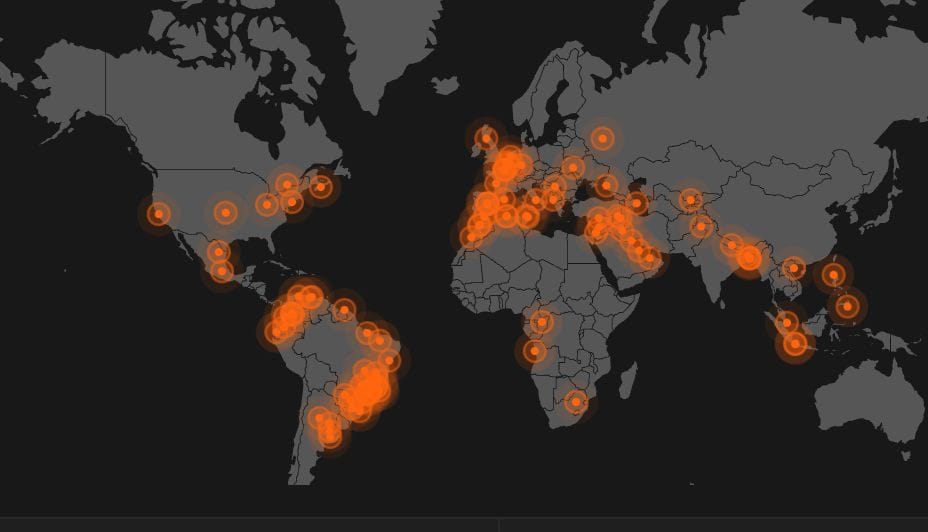
If you by any chance runs Grafana or some sort of observability, when those bots hits you, it lights up the entire world map like Christmas. I’ve watched a store throw 503s not because of a buying frenzy, but because a distributed scanner swarm quietly saturated FPM on cache-miss URLs. The site looked perfectly fine — cached pages were instant — right up until it tipped over.
So deterring scanners isn’t only a security chore. It’s a performance job, and a big one. This is where subscription at Sansec / hosting it at Hypernode / Akamai WAF / "some enterprise grade WAF" can actually be beneficial. StoreFrame runs it's own WAF and it's a constant battle trying to get it right, especially how it's today.
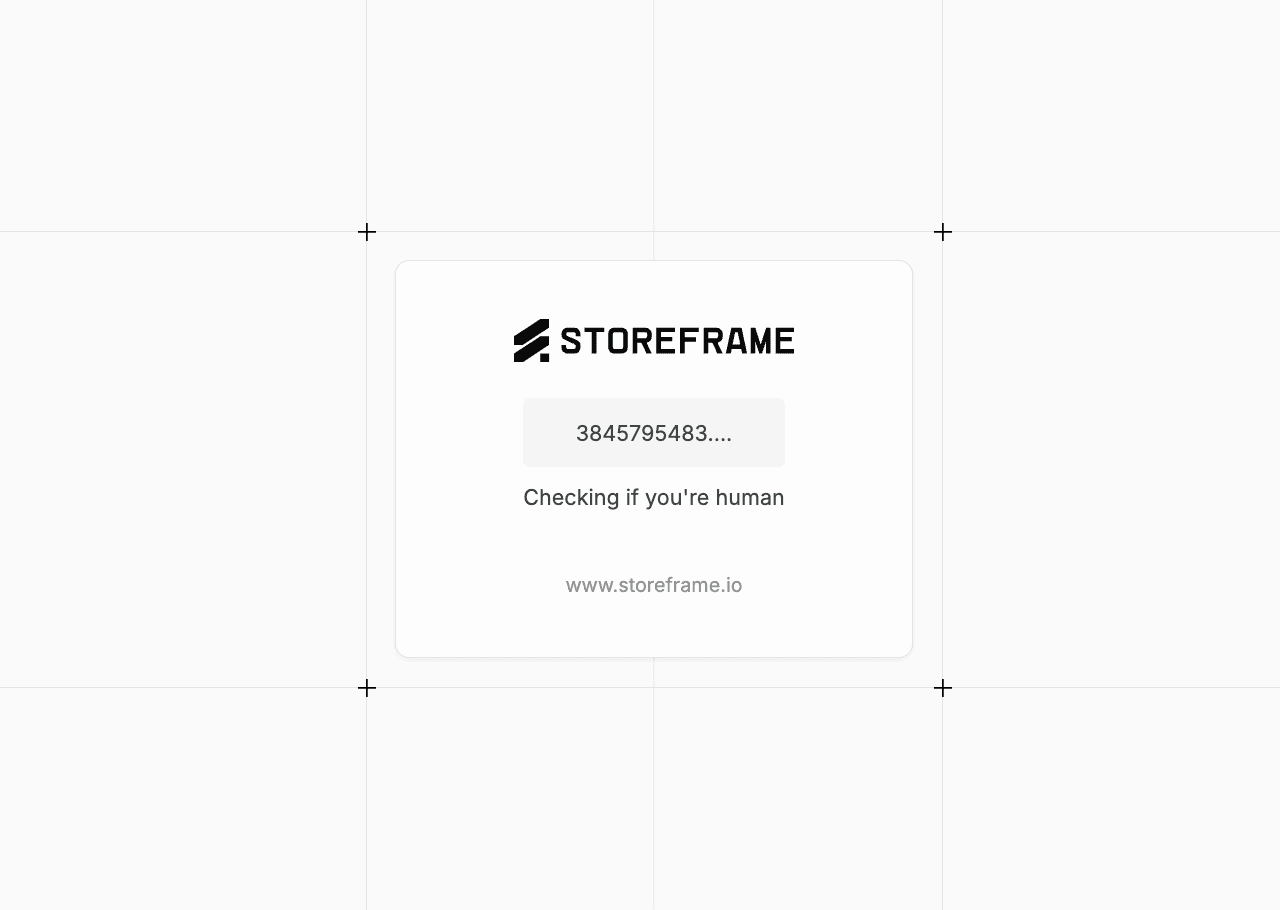
Rate-limiting the abusive patterns, blocking the obvious junk at the edge before it ever reaches PHP, a proof-of-work challenge (ala Cloudflare Turnstile) — that’s not paranoia, it’s reclaiming the workers your customers are supposed to be using. Almost nobody puts this in a performance guide. It belongs near the top of one, when it hits you - it hits hard when you self-host.
I could have taken the easy way (maybe I should have), but the Cloudflare Turnstile layover is somewhat ugly. Routing it to Cloudflare, cost speed, cost abit extra money, my RnD nerves kicked-in and decided to created it.
The stack: boring on purpose
A few opinions I’ll defend, briefly.
NGINX, never Apache. This isn’t a religious war anymore — for a Magento front door you want nginx (we run OpenResty, which is nginx with Lua superpowers). Apache’s per-request process model is the wrong shape for this workload. Don’t fight it.
FrankenPHP — honestly? Promising, but I haven’t seen the win yet. I tried it, and either my config was off, the worker mode wasn’t pulling its weight, sometimes OOM or I simply haven’t pushed it hard enough — it needs more testing before I’ll put a number on it. There’s also a practical wall: FrankenPHP wants Caddy, and we can’t run Caddy (not in-front).
Our edge does Brotli, HTTP/3 and QUIC, GeoIP, a CrowdSec bouncer, and AppSec rules — and it keeps full compatibility with the standard Magento nginx config, which matters far more than it sounds. Throwing all of that away for an unproven gain isn’t a trade I’ll make yet. (We have since run a proper FrankenPHP test: FrankenPHP Worker Mode for Magento (coming soon).)
A good CDN helps — a bad one hurts more than none. Once your origin has fast IO and a fast network, a slow, cheap, or free CDN can actually become the bottleneck: you’ve made the origin quick and then parked a sluggish middleman in front of it. I actually noticed putting free Cloudflare in-front, it's slower than not.
If you’re going to use a CDN, use a genuinely fast one. Otherwise you’re just adding a hop that costs more than it saves. If it's for hiding real ip address with proxy, it's just slowing down an attacker. A proper pentester with the right OSINT tool, will tell you the origin.
And yes — tune the config to the box
I said I’d skip the obvious, and I will, except for the one nuance that the boilerplate guides always miss: the numbers aren’t universal. Bumping PHP and MariaDB memory only helps if the values fit the box you’re actually on — not the box in the blog post you copied them from.
InnoDB buffer pool wants to be big enough to hold your hot data in RAM — the single highest-leverage knob in the stack, and the one most often left at its tiny default. Different version of MariaDB and MySQL, especially older ones, have more settings to tune.
PHP-FPM pm.max_children and the rest of the “max” family should track your real per-worker memory footprint and the RAM you actually have. Set it too high and a traffic bump swaps the box to death; too low and you’re throttling requests while half your RAM sits empty.
That’s the difference between “turn the knobs up” and tuning: matching the settings to the hardware, not to a tutorial.
And below the application, the kernel. Swap goes off first — a Magento box that’s swapping is already dead, it just hasn’t noticed yet, so I’d rather it run lean than limp along on disk.
Not one of them is glamorous. All of them are set once, identically, on every box.
One floor, to set expectations: 4 vCPU and 8 GB of RAM is the bottom of the range for a real Magento 2 store. You can technically run it on less. You shouldn’t.
Below that, all the tuning in the world is just rearranging furniture in a room that’s too small — and honestly, if that’s your hard ceiling, Magento may be the wrong platform for you. That’s okay too.
And the frontend? It runs itself
The other half of the boring checklist — the frontend build — I don’t touch by hand either. Every production deploy flips the whole set in one shot: CSS merged and minified, JavaScript merged, minified and pushed to the bottom of the page, HTML minified, static content signed, a critical-CSS path so the first paint doesn’t wait on the full stylesheet.
On top of that, one simple module from Swissup Labs, Page Speed, handles deferred JS and speculative loading — quietly prefetching the next page before the shopper clicks it.
(One thing I leave off: JS bundling. With HTTP/2 and HTTP/3 it does more harm than good — another number the old guides never updated.) None of it is hand-tuned per store; it’s baked into the deploy, set per theme.
It’s exactly what the Magento best-practice guide tells you to turn on — so I turned it on once, in the pipeline, and stopped thinking about it. And the images go out small: WebP, or AVIF where the browser will take it — fewer bytes on the wire is the one win that never has a downside.
And the deploy itself — run it in parallel
The build that ships all this is its own performance job, and it’s one Deployer (deployer.org) handles for us — atomic releases, a clean symlink swap, zero downtime. The real win is in how the slow steps run, because two of them are embarrassingly parallel and have no business being single-threaded.
Static content deployment — Magento generating the static files for every theme and locale — runs across multiple jobs, so it uses the cores you actually paid for instead of just one.
Reindexing is the same story: let the indexers churn in parallel rather than grinding through them one after another. On a large catalog, that’s the difference between a deploy you sit and wait out and one that’s finished before the coffee’s poured.
# Static content deploy across all cores — it's embarrassingly parallel
php bin/magento setup:static-content:deploy -f --jobs=$(nproc)
# Multi-threaded reindex: dimension mode lets the heavy indexers parallelize
php bin/magento indexer:set-dimensions-mode catalog_product_price website_and_customer_group
MAGE_INDEXER_THREADS_COUNT=$(nproc) php bin/magento indexer:reindexAnd one last step that keeps paying after the deploy is done: composer’s optimized autoloader — dump-autoload with the optimize and APCu flags.
It builds a flat classmap so PHP looks a class up instead of scanning the filesystem for it on every autoload. A few seconds at deploy time, and every single request for the life of that release is a touch quicker for it.
# Optimized autoloader — a flat classmap, faster class resolution on every request
composer dump-autoload -o --apcu
Cut what you don’t run
Every module Magento loads is code that compiles, wires itself into the DI graph, and runs on requests you’ll never think to trace back to it.
The cleanest fix isn’t disabling it — a disabled module still sits there in the build — it’s removing it outright: pull it from app/code, or replace it away, so it never compiles and carries no overhead at all. Honest caveat: the speed difference is smaller than you’d hope.
I’ve rarely watched a page get visibly faster from a cull alone. But it’s clean — nothing compiled, nothing running — and clean compounds. One warning, learned the hard way: don’t get carried away.
Strip out too much and a module you will adopt six months from now quietly breaks because something it expected is gone. Cut what you’re sure you’ll never need, and leave the rest.
Let the throwaway stuff live in RAM
This one’s specific to running in Docker, which we do. A lot of what Magento and its neighbours write to disk doesn’t need to survive a restart — and shouldn’t be paying the disk tax at all.
So mount it as tmpfs: a filesystem that lives in RAM and simply vanishes when the container stops. The obvious candidates are the things that are already just caches — Redis persistence files, OpenSearch working data you’d happily reindex, anything you can rebuild without a second thought.
It’s also perfect for MFTF, Magento’s functional-test suite, which thrashes the disk writing throwaway artifacts nobody ever keeps; run it on tmpfs and the whole suite gets quicker while sparing the SSD a beating.
The rule is simple: if losing it on restart costs you nothing, it has no business touching a disk. Put it in RAM, let it disappear, and stop wearing out an NVMe on data with a lifespan measured in minutes.
Magepack: the bundler worth the hassle (on Luma)
I said I leave Magento’s built-in JS bundling off, and I do — but there’s a smarter exception. Magepack builds proper per-page-type bundles — one for CMS pages, one for the category/PLP, one for the product/PDP — instead of the single giant blob the native bundler hands you.
On a Luma-based theme it genuinely helps: faster loads, better general performance, a real Lighthouse bump. It was pretty good. The catch is it’s finicky.
The project looks unmaintained — years quiet now — the JavaScript compilation step doesn’t “just work” for most setups, and the config wants you to hand it reference URLs for a CMS page, a category and a product so it can crawl and build the bundles (the Magepack GitHub README walks through that cms/category/product setup).
Those links rot: the day a customer deletes the product or category you pointed it at, the bundle build breaks, and you’re back tweaking config. For a Luma store it’s worth the effort (especially with AI today to find where it breaks and to find the working pages to load dynamically). Else, when you can, Hyva / Breeze is just the better answer.
And when it’s time to make it pretty: Hyva
Everything above makes a store fast no matter what theme sits on top. But if you’re choosing the frontend itself, choose Hyva. It throws out the heaviest thing about Magento’s default frontend — the pile of legacy JavaScript.

No Knockout, no RequireJS, no jQuery, none of the libraries Magento dragged along for a decade. In their place: Alpine.js for interactivity, a handful of kilobytes instead of hundreds, and Tailwind for CSS, which purges down to a tiny stylesheet instead of shipping one the size of an album.
The result is a fraction of the bytes a Luma store sends, far fewer requests, and almost nothing left for the browser’s main thread to chew through. Less to download is nice; less to run is where the speed lives.
Images lazy-load and go out as WebP by default. That’s why Hyva wins Lighthouse and Core Web Vitals straight out of the box — the things Google actually rewards — with none of the Magepack-style fight to get there.
It isn’t free, even with the license now open: every module you depend on has to be made Hyva-compatible, and that porting is real work. But when you can pay that once, pay it — it’s a newer, leaner stack on every axis and simply the better place to start.
You’re not optimizing your way out of a hole; you’re starting near the top. The foundation in this post is what makes any theme fast; Hyva is where you go when it’s time to make the frontend genuinely fast, and genuinely pretty.
So what actually makes Magento fast?
If there’s one thing to take from all this, it’s that none of it is a single switch — it’s a stack of small pieces all pulling the same way. Follow Magento’s own recommendations, the official best-practice checklist, every boring line of it.
Get your caching right. Each piece is small on its own, and almost none of it is exotic — stacked together is where the speed lives. But most of all, it’s the handful that punch above their weight, the ones this whole post has been about.
Strip it down and here’s the guide in the order of the jump you’ll actually feel: a dedicated bare-metal box with the highest clock speed you can buy; then caching — non-negotiable, all of it — Varnish out front, three Redis instances (sessions, page cache, default cache) and OPcache holding the compiled PHP; and on a Luma-based theme, Magepack. Those are the big jumps.
The rest of the hardware and config — fast RAM, an NVMe disk, the InnoDB buffer pool, PHP and MariaDB memory limits matched to the box — matters too, but it’s smaller, and it’s the boring best-practice checklist Magento’s own guide has spelled out for years: do it, don’t agonize over it. And in a category all its own, keep the scanner bots off your uncached pages.
That’s it. That’s the secret that took me five years to be sure of. None of it is exotic. None of it is a clever module. It’s physics, caching, config, and crowd control — and it will beat a fancier theme on a worse-configured box every single time. Hyva or no Hyva, this is the foundation. Get it right first, then go make it pretty.
Next time I’ll go a level deeper into one of these — probably the bot problem, because it’s the one that cost me the most sleep and the one I still can’t believe isn’t in every performance guide already. Stay tuned.
Want all of this done for you? StoreFrame runs the whole tuned stack on your own cloud, operated by AI plus a human — the speed without the five-year learning curve.
See how StoreFrame worksA founder, an engineer at heart, an independent consultant who seek alternatives to the mainstream — Currently focused in burning AI tokens to deliver the best agentic e-Commerce experience.
More Articles
More Articles

One decision saved us setup time on every store, kept catalogue pages fast and stopped more bots: a self-hosted, Turnstile-style challenge that installs itself.

More than ten detectors score every request before anything is decided. Here is the scoreboard, what each signal is bad at, and the customers we annoyed on the way.

Every bot says it is Chrome. The handshake says otherwise. How we read JA4 and HTTP/2 fingerprints at the edge, why we needed both, and where they fail.

There are a dozen ways to put a web server in front of Magento. I tried most of them and landed on OpenResty — NGINX with Lua superpowers. Here's the honest case for it, and against the alternatives.

Half of a Magento store's traffic are bots, and today's scrapers solve puzzles and rent home internet. Here is the layered strategy we run, with real numbers.

SessionReaper, PolyShell and StyleSmuggler hit different parts of Magento months apart, from different people. Side by side they stop being three stories and start looking like one reused recipe.