
Backup and recovery
Check backup status, create checkpoints before risky changes, and restore the database or files from the Hub.
The Backup & Recovery panel shows the backup status of your environment and lets you create and restore checkpoints without using SSH.
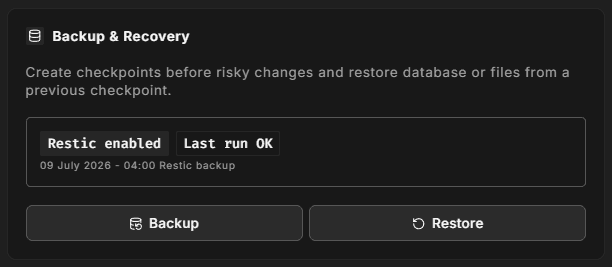
Status
When off-site backup is enabled, the panel shows whether the last backup run succeeded and when it ran. If backup is not enabled yet, click Enable Backup first. Checkpoints can only be created once backup is enabled.
Create a checkpoint
Click Backup to create a manual checkpoint. It captures a full database dump and your files. You can give it a name of up to 40 characters, for example "before 2.4.9 upgrade", so it's easy to find later.
Up to 10 manual checkpoints are kept. You can delete manual checkpoints you no longer need from the restore dialog.
Take a checkpoint before any risky change: a Magento or extension upgrade, a data import, or a large configuration change.
Restore
Click Restore and choose:
- A checkpoint. Checkpoints are grouped as Manual Checkpoints, Automatic (Daily) and Safety (pre-restore).
- What to restore. Database only, Files only (code + shared), or Database and files.
- Confirmation. Type the environment's subdomain to confirm.
The restore overwrites the live environment with the selected checkpoint. If you want a way back, create a manual checkpoint first. Plan for a short interruption while the restore runs.
Automatic and safety checkpoints are protected and cannot be deleted.
Backup scope
Backups are per environment. A checkpoint of your production environment cannot be restored onto a staging environment from this panel.
For retention, what is included, and restoring over SSH, see Backups.