
Utilities
Change platform-level settings such as the Redis layout and search engine without using SSH.
The Utilities panel exposes a set of platform-level controls that let you change how your Magento containerized stack behaves without SSHing into the server. Each utility maps to one or more backend operations that apply the change live.
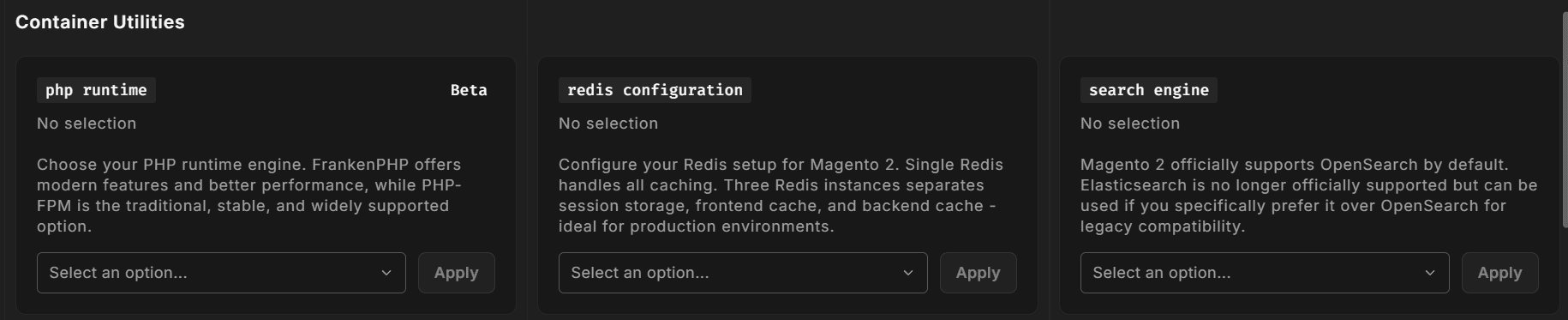
How utilities work
Utilities are driven by the platform configuration attached to this environment. Each utility appears as a card with:
- A name and icon identifying the subsystem
- A short description
- A dropdown of available options
- An Apply button
Selecting an option and clicking Apply triggers a background job. The Hub navigates you to the active jobs indicator and shows progress. You can continue using the environment while a utility runs, but the affected container is reinstalled, which causes a short interruption for that service.
Available utilities
For Magento and Mage-OS environments the Utilities section shows:
Redis Configuration Choose Single Redis (one instance for all caching) or 3 Redis Instances (separate instances for sessions, frontend cache and backend cache). Applying either option reinstalls Redis, which clears sessions and logs shoppers out, so apply it outside busy hours.
Search Engine
Choose OpenSearch (recommended) or Elasticsearch. Elasticsearch needs the magento/module-elasticsearch-8 module installed first. Switching runs a full reindex automatically, which can take up to an hour on large catalogs.
PHP Runtime (Beta) Shown as PHP-FPM or FrankenPHP. The PHP runtime now follows the PHP version installed on your environment, so if you need to change it, file a support ticket.
Applying a change
- Select the desired option from the dropdown.
- Click Apply.
- A toast notification confirms the job has started.
- The running job appears in the Active Jobs panel.
Only one utility job can run at a time per environment. If a job is already running, the Apply button returns a warning rather than queuing a second job.
No utilities shown
If the platform attached to this environment defines no utilities, the Utilities section is empty and nothing is rendered. This is expected for some minimal platform configurations.